 PasteFerry
Copying between two computers
shouldn’t be this much work.
Send, open, download, then find the file
Accept every time. Still no clipboard sync.
Same Apple ID, and the devices must be close
None of the built-in options work
It can be much simpler.
PasteFerry
Copy on this computer. Paste on that one.
macOS · Windows · Linux
All users on Thursday if all goes well.
All users on Thursday if all goes well.
Copy a file on Mac. Paste it on Windows.
And back: copy on Windows, paste on Mac.
Screenshots too. They paste as images.
What you copy is what you paste
Under 50 MB? Transfer starts as you copy.
Larger files arrive on demand, with one click.
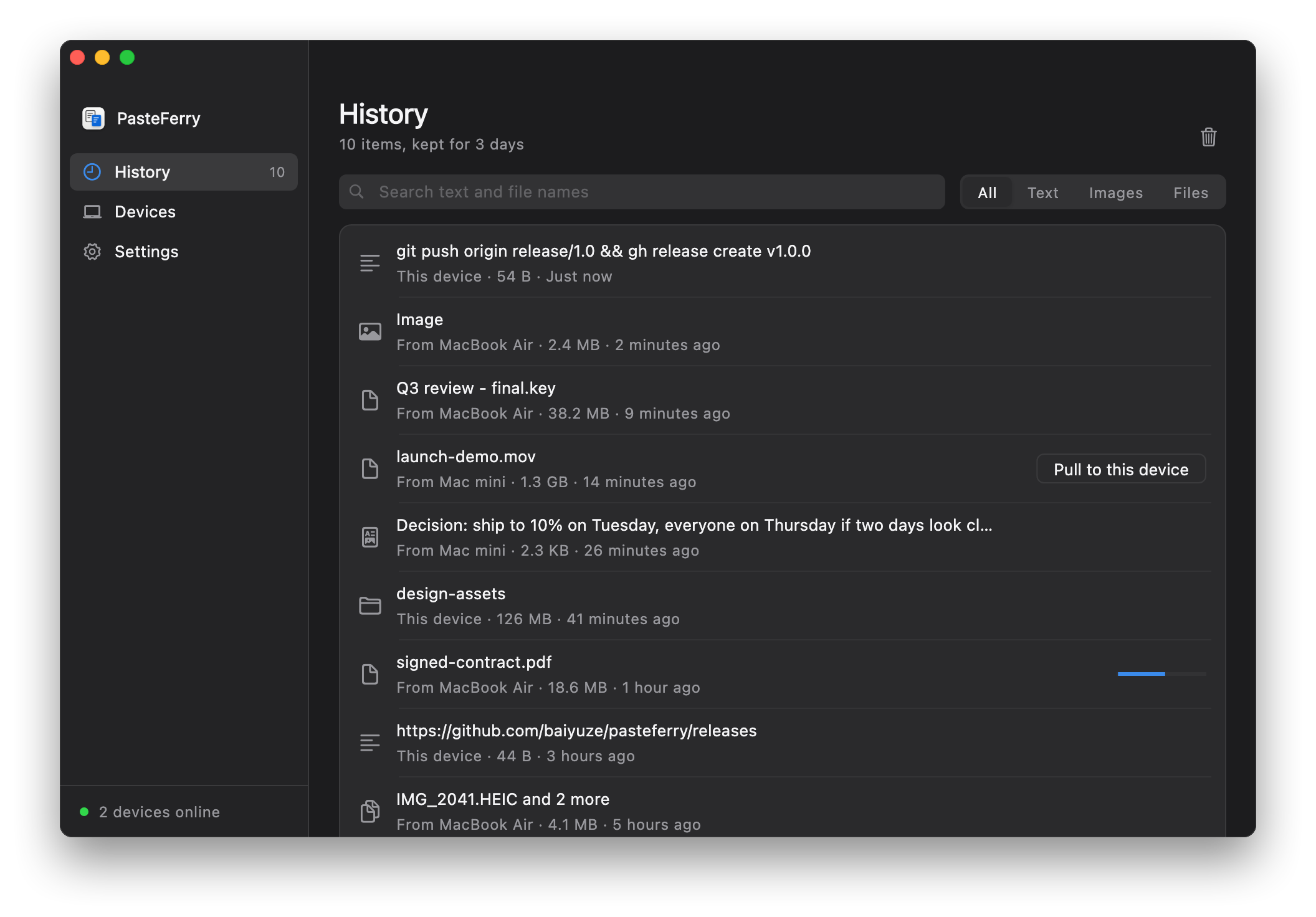
Everything you copied,
all in one place
- 3 days of history by default
- Click to copy it again
- Preview images in place
- Pull large files when you need them
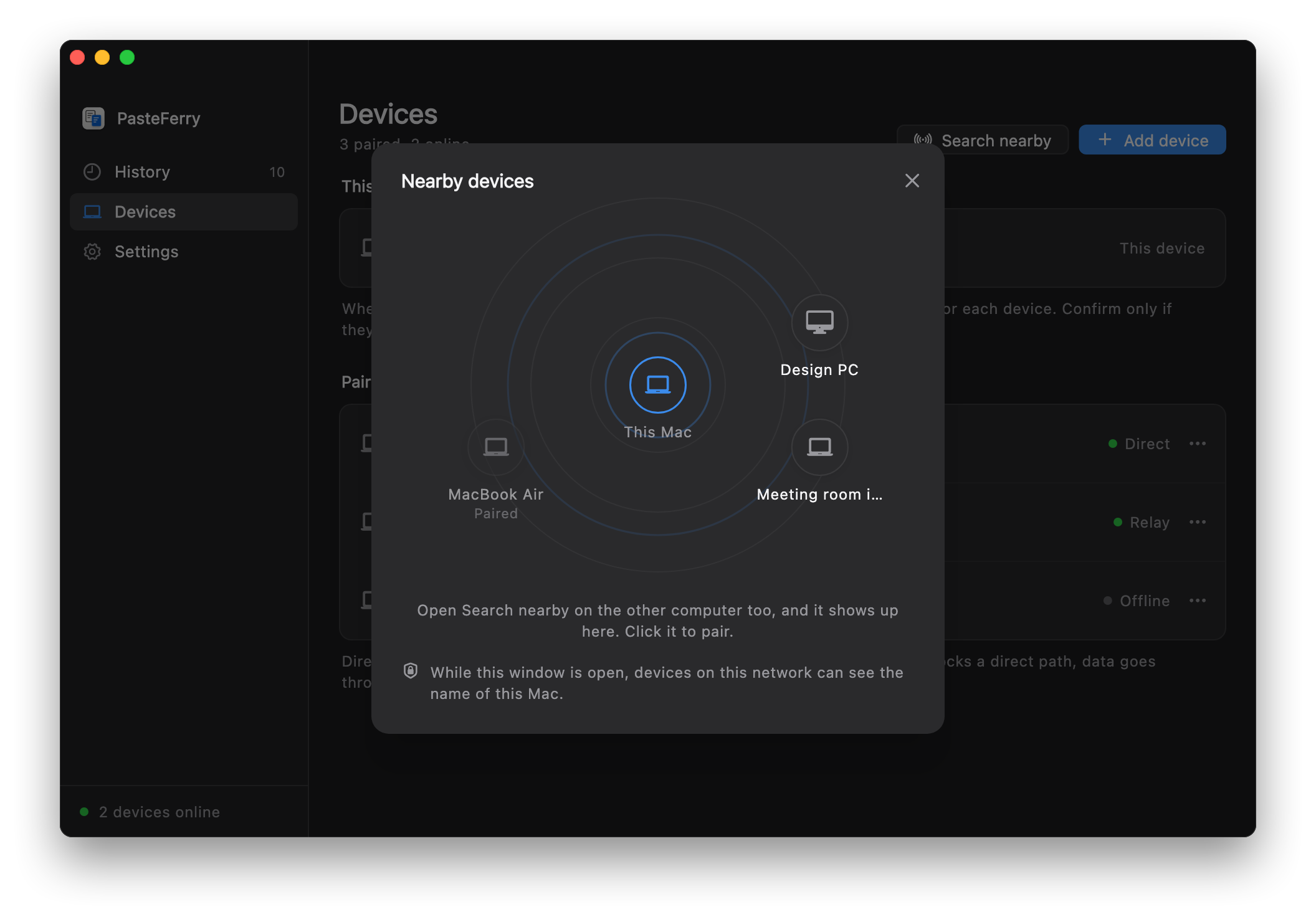
Pair once, and you’re set
On the same network, find a nearby computer and pair
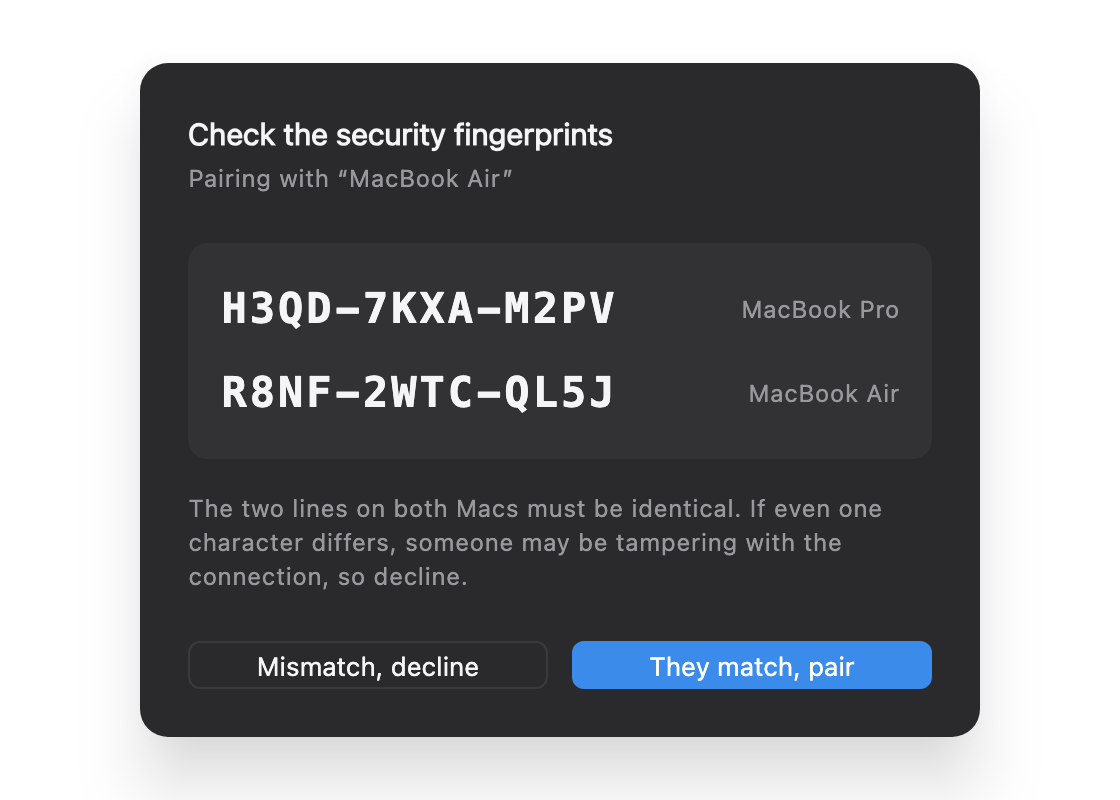
Check the fingerprints on both screens before confirming
One network or many. Your choice.
Same network
At home or at the office,
no server to set up
Public server
Host a small cloud VM,
sync from anywhere
Tailscale
Across networks,
without your own server
A direct connection when possible. End-to-end encrypted.
In server mode, your server relays encrypted data if a direct link fails.
How it compares
PasteFerry
Copy on this computer. Paste on that one.
- Download
- pasteferry.cc/en/
- Source
- github.com/baiyuze/pasteferry
Less sending things around. More getting things done.
Meet PasteFerry in 85 seconds
Silent tour · macOS / Windows / Linux
Tour highlights
- Copy a file on Mac. Paste it on Windows.
- And back: copy on Windows, paste on Mac.
- What you copy is what you paste
- 3 days of history by default
- Pair once, and you’re set
- A direct connection when possible. End-to-end encrypted.
- In server mode, your server relays encrypted data if a direct link fails.